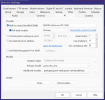
In settings, go to the AI tab, you should see your video card in the box at the top of the screen!
If it is not there then AI is not using it, as far as determining if you need it or not, then click on the drop down arrow to the right of the box and select "No GPU" and then OK to save the change. If you detect no change in the performance of you system then you could probably remove the card from the machine!