
BI reports 0% activity GPU in Status Overview, but Task Manager does.
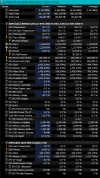
I have been a bit mystified that my Nvidia T600 GPU shows 0% activity in Status>Overview and no GPU activity between my i7-7700 CPU % and RAM on the main BI camera display screen. It does show up for a few minutes after a reboot or closing down BI and reopening. I have a HP EliteDesk 800 G3 SFF with a total of 16GB RAM. However Task Manager>Performance does shows my T600 as GPU 1 and active, whilst my GPU 0 the onboard Intel HD Graphics 630 reports as 0%.
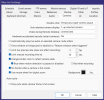
I have in W10 System>Display>Graphics Settings set to ON for hardware-accelerated GPU scheduling and chosen Blue Iris by choosing blueiris in Windows C:>Program Files> Blue Iris> Blueiris an Application in Graphic settings as Graphic performance preference. This then prints my choice of my T600 in Windows when running Blue Iris, as I have too in Blue Iris itself Settings>AI>Built in using DirectML/ONNX in there my choice NVIDIA T600.
My current explanation is that BI for GPU % is reporting my onboard HD 630 GPU status not my Nvidia T600 which in a way is being treated as a co-processor.
It's just a pity that I need to open Task Manager to view my BI GPU activity.
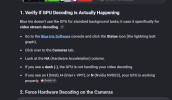
Additional: for each of my 8 cameras in Camera Settings>Video I have set Hardware decode as Nvidia NVDEC and GPU 1 not so far Also BVR
I have been a bit mystified that my Nvidia T600 GPU shows 0% activity in Status>Overview and no GPU activity between my i7-7700 CPU % and RAM on the main BI camera display screen. It does show up for a few minutes after a reboot or closing down BI and reopening. I have a HP EliteDesk 800 G3 SFF with a total of 16GB RAM. However Task Manager>Performance does shows my T600 as GPU 1 and active, whilst my GPU 0 the onboard Intel HD Graphics 630 reports as 0%.
I have in W10 System>Display>Graphics Settings set to ON for hardware-accelerated GPU scheduling and chosen Blue Iris by choosing blueiris in Windows C:>Program Files> Blue Iris> Blueiris an Application in Graphic settings as Graphic performance preference. This then prints my choice of my T600 in Windows when running Blue Iris, as I have too in Blue Iris itself Settings>AI>Built in using DirectML/ONNX in there my choice NVIDIA T600.
My current explanation is that BI for GPU % is reporting my onboard HD 630 GPU status not my Nvidia T600 which in a way is being treated as a co-processor.
It's just a pity that I need to open Task Manager to view my BI GPU activity.
Additional: for each of my 8 cameras in Camera Settings>Video I have set Hardware decode as Nvidia NVDEC and GPU 1 not so far Also BVR
Last edited:

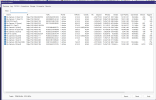

 despite Status>Overview having a blank circle with GPU 0% beneath.