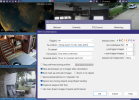
Dahua Camera Times - How close from Cam to Cam?

Yes, the camera times are always within a second on all of my Blue Iris installations. Some use the router as the time source (when the cameras are on the network with a router I provided), and others use the Blue Iris PC as the time source (when the cameras are on their own private network). I typically use the slowest NTP interval permitted by the cameras (30 minutes, 60 minutes, and 1440 minutes seem to be common figures).
Will give your script a try.

Ran both w32tm /query /configuration and w32tm /query /status on the BI windows computer. The results are in the text file.

Take a look and let me know if there is anything unusual going on. The NTP server on the router updates the BI computer. The cams are updated via the BI system clock.

There is always the possibility that something else is going on.
 

Attachments

Last edited:
Looks good; the only thing I can't see there is verifying your firewall rule (and do note the Public/Private network designation that can affect how the firewall applies the rules). Make sure your PC's IP address is entered and NTP turned on on the cameras. A quick test would be to turn off NTP on a camera, nudge its time by a few minutes, hit [Save], and then turn NTP back on with an interval of 1 minute. The camera's time should visibly correct itself within a minute of hitting [Save] again (some cameras do it as soon as you hit [Save], others do it after the time elapses).
 
Based on what I said, the OP said he tested some cams and some showed being off time within seconds, so it really doesn't matter if there is a slight delay from a NTP and all this other trouble shooting going on.

Some of the cameras just plain suck at holding time.
 
Cameras shouldn't be drifting seconds apart within an hour; after days/weeks/months with no synchronization, sure. Every time I've seen my cameras seconds apart, it's because NTP time synchronization had been broken for some reason for an extended period of time. Hence the test in my previous post. That said, I will add that if NTP is confirmed working and your cameras still are ending up seconds apart, reduce the synchronization period—if 1440 minutes, to 60 minutes. If 60 minutes, to 30 minutes, or even 10 minutes if a camera is really bad. But I haven't seen this be necessary—I've got cameras holding split-second accuracy syncing only every 24 hours! Also, I will note that there was a certain version of the 5442 firmware that broke automatic NTP synchronization several years back (I don't remember the version number).

On a more technical note, I have observed that a camera system will typically start out with split-second accuracy (i.e. all the cameras click seconds by at the same moment). However, because the cameras synchronize on an arbitrary timer (every XX minutes since last sync) rather than on the clock (i.e. on the :00 of the hour), they will often come apart over time—especially if any cameras have rebooted since power-on. I discovered that this occurs due to the parent device (i.e. a router) resynchronizing its time in response to the (now out-of-group) NTP request from a device. Jitter over the Internet causes millisecond discrepancies in the parent device's clock, which are then passed on to the requesting device. If all the camera's NTP requests were always grouped together (as they are from a cold power on, and would remain if they made their requests say on the hour), this would not occur as they would all be pulling their time from the same NTP synchronization of the parent device.
 
I have personally seen it and why I suggested that some cameras need a quicker sync to an NTP.
 
Using an NVR I rarely see differences of more than 1/2 second
 
Time Sync - Dahua Cam Issue Resolved

Issue

Dahua cams on a subnet will not time sync on an internet isolated BI cam system.

Background
1) Time sync from local Asus router on LAN at 192.168.1.1
2) BI windows 11 computer on LAN not connected to the internet - no gateway on either NIC
4) BI computer with dual LAN - one on 192.168.1.120 for UI3 and the other on 192.158.55.1 for Dahua cams
5) Net Time or Window Time service ineffective - computer system time would sync but not the subnet at .55

Problem
The subnet at .55 was not receiving any time code information. Thus could not update any of the cams as it could not listen to UDP port 123 on the subnet at .55.

Solution
1) Use Asus router NTP server at 192.168.1.1 for all time syncs
2) Remove NetTime and disable Windows Time Service on BI computer
3) On the BI computer setup Firewall inbound - 123 - private
4) Install Meinberg NTP for Windows and set NTP source at 192.168.1.1

Output
Sample output from cams. Prior to the update, the cams were in the range of 1 to 5 seconds off sync from system time. With the update a substantial improvement.

192.168.55.12 result=06-22-2026 14:52:22 -478.500ms
192.168.55.16 result=06-22-2026 14:52:23 474.075ms
192.168.55.18 result=06-22-2026 14:52:22 -566.799ms
192.168.55.28 result=06-22-2026 14:52:23 388.184ms
192.168.55.32 result=06-22-2026 14:52:23 367.338ms
192.168.55.34 result=06-22-2026 14:52:22 -665.523ms
192.168.55.36 result=06-22-2026 14:52:22 -695.379ms
192.168.55.38 result=06-22-2026 14:52:22 -729.845ms
192.168.55.40 result=06-22-2026 14:52:22 -757.752ms
192.168.55.44 result=06-22-2026 14:52:22 -789.246ms
192.168.55.50 result=06-22-2026 14:52:22 -807.331ms
192.168.55.54 result=06-22-2026 14:52:22 -840.484ms
192.168.55.56 result=06-22-2026 14:52:22 -857.819ms
192.168.55.58 result=06-22-2026 14:52:22 -886.462ms
192.168.55.60 result=06-22-2026 14:52:22 -914.937ms
192.168.55.26 result=06-22-2026 14:52:22 -949.551ms
192.168.55.42 result=06-22-2026 14:52:23 -45.385ms
192.168.55.64 result=06-22-2026 14:52:23 -101.955ms
192.168.55.66 result=06-22-2026 14:52:23 -169.434ms
192.168.55.70 result=06-22-2026 14:52:23 -225.709ms
192.168.55.72 result=06-22-2026 14:52:23 -322.206ms
192.168.55.74 result=06-22-2026 14:52:23 -380.347ms
192.168.55.76 result=06-22-2026 14:52:23 -480.600ms
192.168.55.78 result=06-22-2026 14:52:23 -531.127ms
192.168.55.80 result=06-22-2026 14:52:23 -577.817ms

Good IPs: 25 | Failed IPs: 0 | Repeated IPs: 0
Execution time: 00:00:01.202
Start: 14:52:22.372 | End: 14:52:23.579

Overview
Testing and updates completed through the use of AI on the Duck Duck Go browser. The tool provide testing code to find the solution. Would also provide the correct settings for your system.

This AI tool, in my opinion, is almost as good as some of the tools on Copilot and for free it solved the issue. No need to pay for Copilot when an adequate substitute exists.

Meinberg
NTP Configuration with Meinberg for Windows

By default, the NTP program ntpd works both as client and server at the same time.

In the role of a client it gets the reference time from some other configured server or reference clock, and adjusts its own system time towards the reference time.

In the role of a server it makes the system time available to other NTP clients.

 
Last edited:
Thanks for posting.
Because of what i just learned here, I begrudgingly turned off all my BI Time Stamps, and am now looking at the NTP time provided by the NVR Amcrest ( Dahua OEM) 4116. Which usually fux me at some point is a DST Change.
I feel like adding my own "to Confirm" elements on my Sky cam.
CPU %age creeped down roughly 2 points on BI.
1782179159632.png
 
Just an added note from a newb; I am still setting up my Dahua system and I was not able to get the time stamp synched on my cameras (tried a few different NTP servers).

I reconfigured settings for cameras and SmartPSSLite using " time.cloudflare.com " I have had no further problems but I have not tried it with my NVR yet.
 
Last edited:
  • Like
Reactions: Flintstone61