Orllo z10 cam- Blue iris

Paste this ONVIF discovery URL into the address bar of your web browser, snapshot the returned results, and post that here, please.
1783954835348.png
 
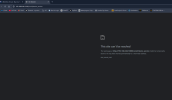
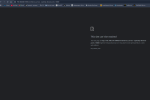
Thank you. That error response says it could not contact the camera because of an "unsafe port". That's interesting, to use one word. It's probably because your IP configuration does not include the 192.168.8.xxx subnet. If possible, change your IP address assignment to use the NETMASK value of 255.255.0.0 instead of the default 255.255.255.0. Then retry the ONVIF device_service URL.

If that is the Chrome or Edge browser, or any other Chromium browser, you can override this by updating your shortcut/icon used to start the browser.
Explicitly allow the port in Chrome by modifying the browser shortcut target to include --explicitly-allowed-ports=10080

 
im getting so tired,dont know why bought this shi*t. . I did a reset and now i cant even acess web view to camera.

Do you mean change subnet in camera or router?
 

Attachments

  • bi11.png
    bi11.png
    46.5 KB · Views: 2
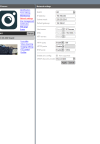
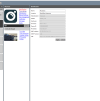
THANK YOU for providing those ODM screen captures. What that tells me is the 192.168.8.xxx subnet IS your local LAN subnet. Absolutely NO NEED for any netmask changes. The error message you were seeing (ERR_UNSAFE_PORT) are definitely generated by the browser, NOT from the camera or your network or even your computer's network. It's a browser restriction, and it can be overridden by creating a separate browser shortcut, and adding the --explicitly-allowed-ports=10080 syntax to the target. Save the modified shortcut, then double-click it and retry the camera's ONVIF URL.
 
  • Like
Reactions: looney2ns