Smooth Stream

Sep 5, 2016
40,459
88,677
The Swamp
The latest FW on certain cameras has the "Smooth Stream" slider on the Video tab 9same tab as Resolution/bitrate etc

So @steve1225 has a better description and understanding of how it actually works, but here's a couple of example snap shots.

Look at the first and 2nd of each camera
#1 has the slider far to the left at a setting of 10
#2 has the slider to the right at setting 90

My old eyes see a difference in details with the #1 (10 setting) example being "softer"

*You really need to view it in full native resolution

4MP 5442 S3
#1------------------------------#2

SmoothSt-10-Home_Dock-5442H-ZHE_main_20241212162001_@1.jpg SmoothSt-90-Home_Dock-5442H-ZHE_main_20241212161927_@1.jpg

4k-T
#1------------------------------#2
SmoothSt10.jpg SmoothSt-90-Home_GatorCam-Color4K-T_main_20241212162748_@1.jpg
 
  • Like
Reactions: gwminor48
The latest FW on certain cameras has the "Smooth Stream" slider on the Video tab 9same tab as Resolution/bitrate etc

So @steve1225 has a better description and understanding of how it actually works, but here's a couple of example snap shots.

Look at the first and 2nd of each camera
#1 has the slider far to the left at a setting of 10
#2 has the slider to the right at setting 90

My old eyes see a difference in details with the #1 (10 setting) example being "softer"

*You really need to view it in full native resolution

4MP 5442 S3
#1------------------------------#2

View attachment 209618 View attachment 209619

4k-T
#1------------------------------#2
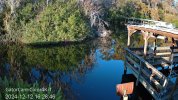
View attachment 209616 View attachment 209617

what frames you captured from video stream? I-frames or delta frames?

With clear settings I-frames (1 frame per 15/30/60 frames) will have best quality / sharpness / bandwith at a cost of the rest 14/29/59 delta ones ...
this setting is better for static images.. if You move too much into clear setting at bad lighting classic image pulsing should be visible (sharp I-frame then losing sharpness/clearity in places with movement in next 1-2 seconds then instant recover in next I-frame) ..

With smooth settings delta frames (14/29/59 frames per 15/30/60) will have better (not best) quality (and bandwith) at a cost that I-frame will be worse...
this setting is better for a lot of movement.. but if you move too much into smooth setting, you will get reverse pulsing (I-frames will be very compressed / blurred and then in next 1 second image will slowly recover in delta frames)

I never go into clear settings... but when I have too much pulsing / losing sharpness around moving tree leaves I go a little into smooth settings..
 
  • Like
Reactions: bigredfish
Let me capture video to better show
 
The one at setting 1 - smooth, is 33Mb vs the “clear” setting 29MB

Both 25 seconds of video