
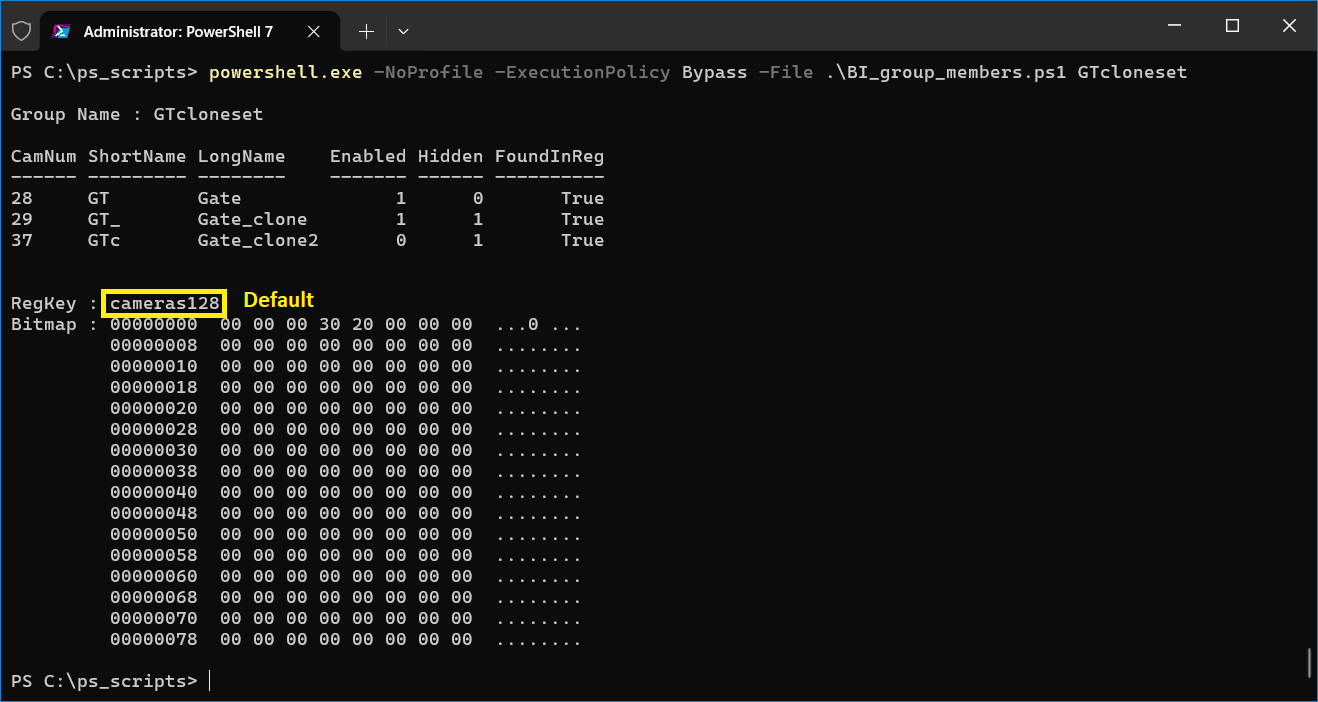
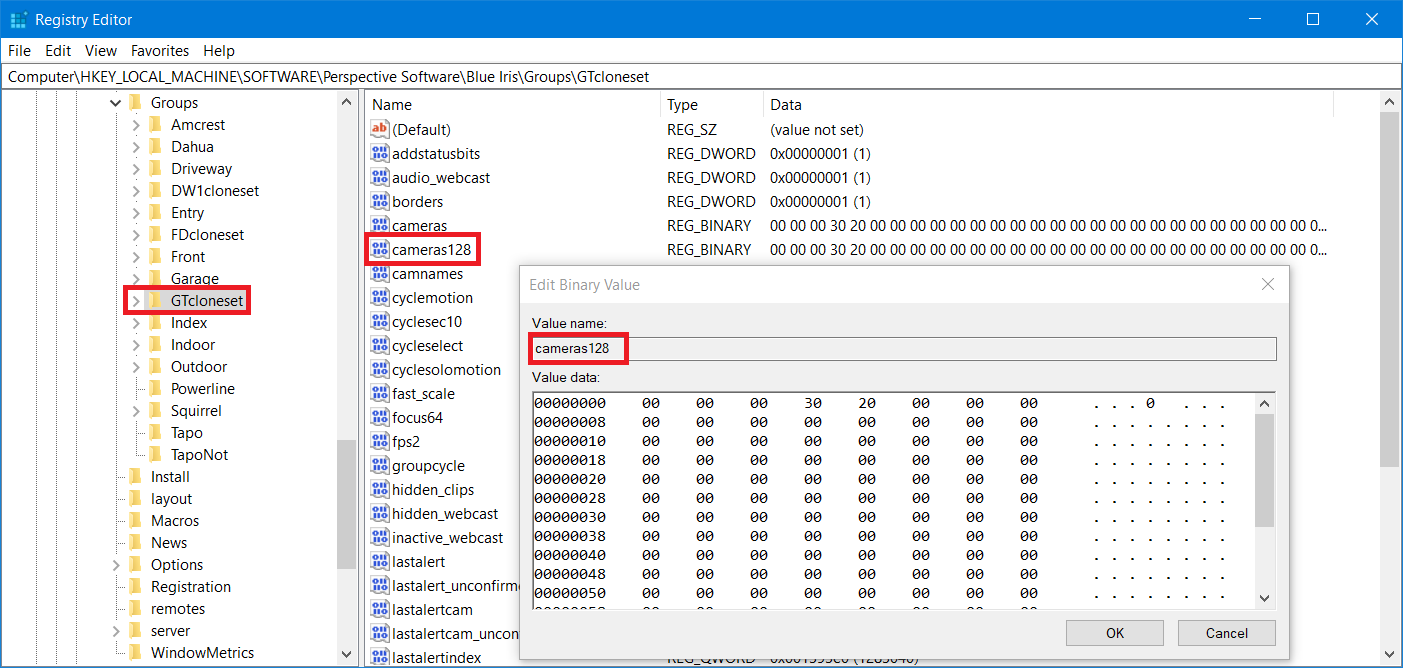
I created a Powershell script that decodes Blue Iris' camera group REG_BINARY values: both the new
This script requires no webserver API access and it reads only the Blue Iris registry entries.
Its sole purpose is to help people investigate the
To use the script:
1. Extract the .ps1 file from the attached ZIP file.
2. Copy it to your PowerShell scripts folder (for example, 'C:\ps_scripts').
3. Open a PowerShell console and change to your scripts folder:
4. Examples:
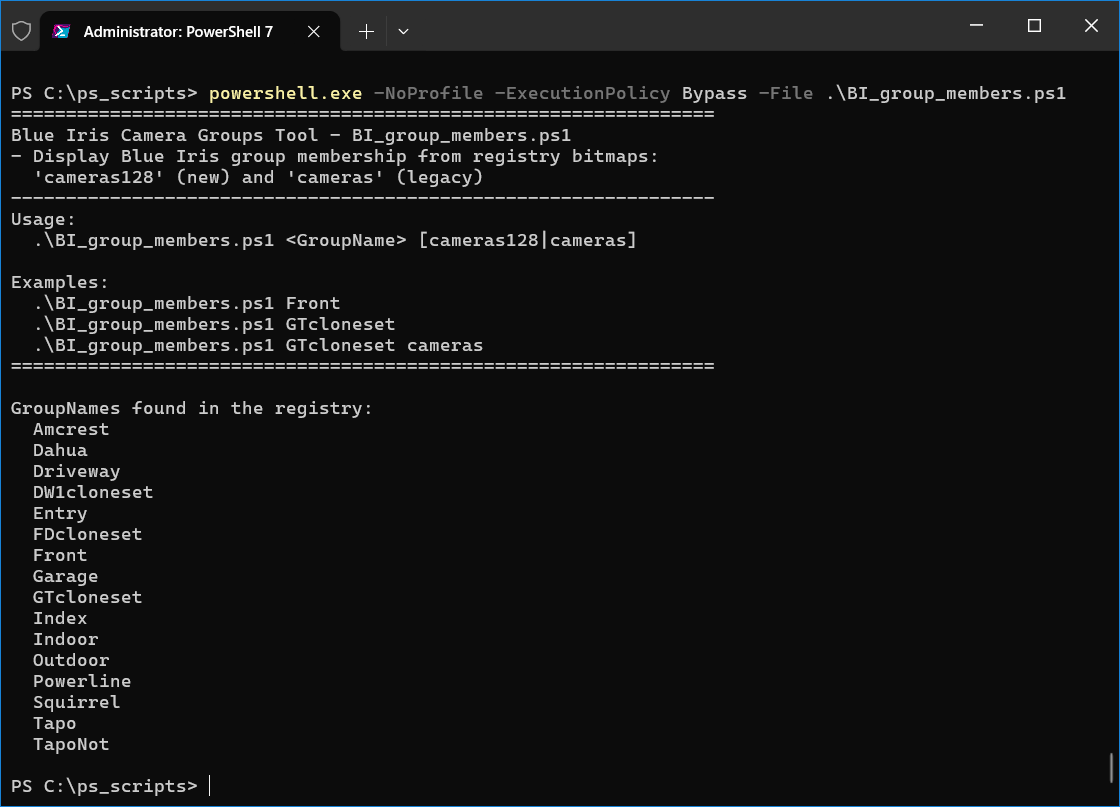
Shows a help screen and lists all Blue Iris GroupNames found in the Registry.
Displays the members of group GTcloneset using the default newer
Displays the members of group GTcloneset using the older
If PowerShell blocks script execution, try:
or
Tested with Blue Iris 6.0.7.3 and later.
cameras128 regkey, and the old cameras regkey.This script requires no webserver API access and it reads only the Blue Iris registry entries.
Its sole purpose is to help people investigate the
cameras128 change in update 5.0.7.3.To use the script:
1. Extract the .ps1 file from the attached ZIP file.
2. Copy it to your PowerShell scripts folder (for example, 'C:\ps_scripts').
3. Open a PowerShell console and change to your scripts folder:
cd C:\ps_scripts4. Examples:
.\BI_group_members.ps1Shows a help screen and lists all Blue Iris GroupNames found in the Registry.
.\BI_group_members.ps1 GTclonesetDisplays the members of group GTcloneset using the default newer
cameras128 REG_BINARY value..\BI_group_members.ps1 GTcloneset camerasDisplays the members of group GTcloneset using the older
cameras REG_BINARY value (if present).If PowerShell blocks script execution, try:
powershell.exe -NoProfile -ExecutionPolicy Bypass -File .\BI_group_members.ps1or
pwsh -NoProfile -ExecutionPolicy Bypass -File .\BI_group_members.ps1 GTclonesetTested with Blue Iris 6.0.7.3 and later.
Attachments
Last edited:
