BI reports 0% activity GPU in Status Overview, but Task Manager does

toastie

Getting comfortable
Sep 30, 2018
272
92
UK
BI reports 0% activity GPU in Status Overview, but Task Manager does.

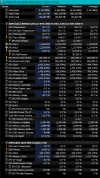
I have been a bit mystified that my Nvidia T600 GPU shows 0% activity in Status>Overview and no GPU activity between my i7-7700 CPU % and RAM on the main BI camera display screen. It does show up for a few minutes after a reboot or closing down BI and reopening. I have a HP EliteDesk 800 G3 SFF with a total of 16GB RAM. However Task Manager>Performance does shows my T600 as GPU 1 and active, whilst my GPU 0 the onboard Intel HD Graphics 630 reports as 0%.


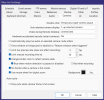
I have in W10 System>Display>Graphics Settings set to ON for hardware-accelerated GPU scheduling and chosen Blue Iris by choosing blueiris in Windows C:>Program Files> Blue Iris> Blueiris an Application in Graphic settings as Graphic performance preference. This then prints my choice of my T600 in Windows when running Blue Iris, as I have too in Blue Iris itself Settings>AI>Built in using DirectML/ONNX in there my choice NVIDIA T600.


My current explanation is that BI for GPU % is reporting my onboard HD 630 GPU status not my Nvidia T600 which in a way is being treated as a co-processor.


It's just a pity that I need to open Task Manager to view my BI GPU activity.

Additional: for each of my 8 cameras in Camera Settings>Video I have set Hardware decode as Nvidia NVDEC and GPU 1 not so far Also BVR
 
Last edited:
I don't think people are using NVDEC decode too heavily with the onset of substreams and AI.
are you running w10 pro? im on BI 6.0.8.4
I know my system is utilizing the GPU clocks but yes BI isn't always displaying GPU info.
It fluctuates with calls to AI.
I wonder if certain version of bi are better at dipsplaying that or if it's a known bug.
tried uninstalling Nvidia drivers and using the Studio drivers?
Any lingering Code Project Ai installs on the system?


the t600 is similar to the GTX 1650.
While it isn't likely to handle too many BI intensive tasks simultaneously, it does work.
I have a GTX 1060 that can be saturated by AI calls to view motion.

Vary degrees of tinkering with NVDEC and AI can freeze( unresponsive) my i5-4590.
and can also bring my 3060 RTX and i7-8700 to a crawl and a freeze.


You could try globally turning off all hardware decode in settings, and if your on BI v 6
and then see if AI is able to handle your requests.
1783534514506.png
 
sneaky bastards. changes from h265 to h264 didn't take in Chrome. But checking the status page made me realize I should try again with Pale Moon 32 bit. that did the trick.
 
Many thanks Flintstone61.
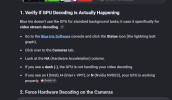
I am using W10 pro BI is on 6.0.8.6 the current latest critical or highly-stable version. In BI Status>Cameras has for HA all 8 cameras here as N (Nvidia NDEC) which was mighty reassuring :) despite Status>Overview having a blank circle with GPU 0% beneath.

When I started using BI 5 there was no AI and the need for a GPU was seen as not necessary, having an Intel CPU with Quick Sync Video was the recommendation on IPCT. What was also required then was careful configuration of each camera's Motion/Trigger settings.
As BI developed AI was introduced and having a GPU became more important. This brought a significant advantage, the settings in Motion/Trigger were less important because AI could do a much better job at filtering the stuff that needed to be detected.

My BI PC is a SFF with very limited PSU power. I saw at the time that the Nvidia T600 at 45W was the best I could fit. Yesterday I did a Brave browser AI search and there was only one possible contender, a Sparkle Intel Arc A310 Eco 4GB. Incidentally I read in the current BI Help that outsourcing AI to another computer was a suggested solution.

I am satisfied with my BI current setup as both Task Manager and you pointing out that I can confirm that I am using my Nvidia T600 in BI. Many thanks Flintstone61 :wave:

Edit: to correct that it is Task Manager showing my GPU 1 as being active
 
Last edited:
I have never used Hardware acceleration before. I was on BI Ver 5 for years. Should I use it now in BI6?

Michael
From what I have read, it will not make much difference if you are using sub-streams, might actually make the CPU utilization go up, if you already have a good GPU in the machine I would try turning it on and see if it makes any difference, if you are using the V6 built in AI, it will probably be beneficial for that use, once again it would need to be tested if it make any difference in your situation, I have one of my three systems that is just using the internal GPU on the CPU chip and it works fine in my situtation!
 
I have never used Hardware acceleration before. I was on BI Ver 5 for years. Should I use it now in BI6?

Michael
I can make my PC act just horribly when AI is processing on the GPU, and I turn on NVDEC Hardware acceleration in about 4-5 cameras. It doesn't happen instantly, but after a few minutes the CPU %age goes up and stays up, and the GPU goes up too. But not at a concerning %age.
But i have come back an hour later, and BI is sluggish and or almost freezing.
At one point it actually did freeze while I was at work, and I could not log in to UI3 or the BI App.
With our older hardware, It might be a good idea do an either/or with AI and HA.
maybe not both.
You'll have to tinker around with how much demand you can put on the Graphics processor.

Just for the sake of experimentation I have tried switching the AI processing over to the Intel CPU.
then I saw the GPU % show up in the Console.
1783620148083.png
funny. Now I switched it back to Nvidia and it's doing this. The breeze is making the tree branches wave around, and AI is busy at object tracking with all the active motion.
1783620341309.png
Now I wonder if after taking updates it somehow affected the displaying of GPU%. Because it hasn't been showing lately.
But toggling it on and off somehow kicked it in the Virtual ass.
the other option in the AI tab is " No GPU"
I have not played with that.
Time to go to work...The casino needs it's shuttle driver.