
Yes it is. Just now I connected to the NVR (from the PC) and clicked on the camera and the camera stream loaded and worked.....for about 10 seconds then it dropped out. Tried to open the stream again and got the "login return time is up" message. Do you think it's an IP address conflict, or is there a setting I need to adjust for login? I seem to remember a login time setting in the NVRIs this camera plugged into one of the NVR PoE ports on the back of the NVR?
Dahua help
- Thread starter bigb56
- Start date
You are using an out of date browser. It may not display this or other websites correctly.
You should upgrade or use an alternative browser.
You should upgrade or use an alternative browser.

bigredfish
Known around here
bigredfish
Known around here
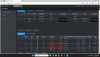
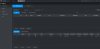
Ok so see, the camera is plugged into the NVR PoE ports and its IP is 10.1.1.71
At that point it has NOTHING to do with your LAN network. Its on its own secure internal network inside of the NVR. No more chasing ghosts
The IP of your NVR is 192.168.1.108 I believe. You're in it with a browser. So the NVR and the camera are working as they should
Uncheck that box at top that says H.265 Auto Switch and hit Refresh at bottom
At that point it has NOTHING to do with your LAN network. Its on its own secure internal network inside of the NVR. No more chasing ghosts
The IP of your NVR is 192.168.1.108 I believe. You're in it with a browser. So the NVR and the camera are working as they should
Uncheck that box at top that says H.265 Auto Switch and hit Refresh at bottom

bigredfish
Known around here
Yes it is. Just now I connected to the NVR (from the PC) and clicked on the camera and the camera stream loaded and worked.....for about 10 seconds then it dropped out. Tried to open the stream again and got the "login return time is up" message. Do you think it's an IP address conflict, or is there a setting I need to adjust for login? I seem to remember a login time setting in the NVR
Specifics matter.
Where exactly did you click the camera and it loaded and worked? On the NVR Live screen?
Yes, in the left pane where it says D7 IPC next to the camera iconSpecifics matter.
Where exactly did you click the camera and it loaded and worked? On the NVR Live screen?
Did that and camera stream now opens and seems to be staying open.Ok so see, the camera is plugged into the NVR PoE ports and its IP is 10.1.1.71
At that point it has NOTHING to do with your LAN network. Its on its own secure internal network inside of the NVR. No more chasing ghosts
The IP of your NVR is 192.168.1.108 I believe. You're in it with a browser. So the NVR and the camera are working as they should
Uncheck that box at top that says H.265 Auto Switch and hit Refresh at bottom
bigredfish
Known around here
There appears to be no problem with your NVR or camera,
The problems as you noted are due to something on your network between your PC and the NVR, possibly this "eset" which I know nothing about but I would take a hacksaw to it and cut it out of the system completely until you can figure out how it works.
Can you click on the blue IE icon and login to the camera?
The problems as you noted are due to something on your network between your PC and the NVR, possibly this "eset" which I know nothing about but I would take a hacksaw to it and cut it out of the system completely until you can figure out how it works.
Can you click on the blue IE icon and login to the camera?
bigredfish
Known around here
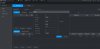
The blue “e” icon on the camera reg page you posted? That should open the camera web GUI in a new window allowing access to all of the camera config menus. It may open to the live view if that’s what you’re saying. ?
Show a pic please
Show a pic please
bigredfish
Known around here

eset is an antivirus software. I had that on my laptop fora while but I had so much trouble with it I finally removed it and loaded Norton. No more issues.
OK when I used Edge I got a screen that lets me configure P2P on or off and updates on or off. I'm going to have to figure out that IE mode because it looks like in order to do that I have to choose it as my default browserOk you shouldnt get that
What browser are you using?
Try Edge in IE mode or Pale Moon 32
bigredfish
Known around here
Ok that is the camera initialization screen. Tell both questions No and it will refresh to the camera login screen.
bigredfish
Known around here
bigredfish
Known around here
I think your just now figuring out that the camera itself has its very own web GUI interface and all of its own controls completely separate from the NVR.
You want to use the camera GUI to make ALL image and IVS event settings and changes. The only settings you should mess with on the NVR GUI is for “Storage” which is your master recording schedules
Read the PSA again.
You want to use the camera GUI to make ALL image and IVS event settings and changes. The only settings you should mess with on the NVR GUI is for “Storage” which is your master recording schedules
Read the PSA again.
OK thanks, I'll re-read it. I also need to figure out how to adjust the time and how to change playback speed.I think your just now figuring out that the camera itself has its very own web GUI interface and all of its own controls completely separate from the NVR.
You want to use the camera GUI to make ALL image and IVS event settings and changes. The only settings you should mess with on the NVR GUI is for “Storage” which is your master recording schedules
Read the PSA again.
bigredfish
Known around here
You’re skipping over important higher level stuff. Save that until you figure out how the NVR and camera work and work together.
Some of the details on settings you’ll have to read up on and figure out trial and error. Otherwise this thread will become a full time job.
Use Edge in IE mode or like the camera GUI, you won’t see what you’re supposed to see
Some of the details on settings you’ll have to read up on and figure out trial and error. Otherwise this thread will become a full time job.
Use Edge in IE mode or like the camera GUI, you won’t see what you’re supposed to see
You’re skipping over important higher level stuff. Save that until you figure out how the NVR and camera work and work together.
Some of the details on settings you’ll have to read up on and figure out trial and error. Otherwise this thread will become a full time job.
Use Edge in IE mode or like the camera GUI, you won’t see what you’re supposed to see
I'll get the camera mounted then work on the settings. It may take me awhile to get it mounted. Thanks for all your help. I wonder what would happen if I connect my old Acti KCM-5611 to the Dahua NVR...