Day/Night Profiles on HIK LPR

Alfredo Monarrez

Young grasshopper
Aug 25, 2015
35
9
I upgraded the firmware on a LPR camera

iDS-2CD7A46G0/P-IZHSY
firmware: V5.8.61 build 250425


i installed 4 years ago, and im confused on how to setup day and night profile settings,

Anyone know how to do this on this newer gui?
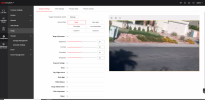
1781140517227.png
 
Howdy @Alfredo Monarrez ...


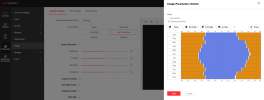
Are you looking to use the "Image Parameters Switch" to schedule switching between "Scene Modes" like this?...

Screenshot 2026-06-10 212231.png


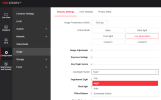
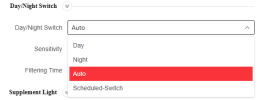
Or just use the "Day/Night Switch" set to Auto (simpler, but this way you can't have different setting for exposure, back light, etc.) ...

Screenshot 2026-06-10 212402.png
 
No, How do i configure settings for each profile, One for day and the other for Night

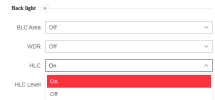
Specifically I want to turn on HLC at night on this camera.
 
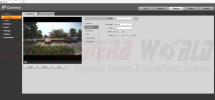
ill be honest im use to dahua, just selecting day profile making your changes, then going to night and changing what i wanted at night

1781142330353.png

Im assuming on Hik this isnt the way?
 
I'm not familiar with Dahua, so I can't compare to Hik.

The Hik camera I have has a similar menu to yours but may not be exactly the same. What do you have as options for "HLC" and "Day/Night Switch" like these on my camera...

Screenshot 2026-06-10 215945.png Screenshot 2026-06-10 220010.png


I'm pretty sure the only way you will be able to turn HLC on and off between day and night is to use the image parameters switch to switch "Scenes"...

I have the "Basic" scene setup for daytime settings, and "Low Illumination" setup for nighttime settings... then enable the image parameters switch and set the schedule to switch between the 2 scenes.
 
It is confusing... the auto day/night switch (when set to auto or scheduled) only changes the "Day/Night Switch" between "Day" and "Night"... pretty useless.

But if you use the scenes/IPS, you can have different settings for image, exposure, backlight, etc. for daytime and nighttime.