
RF Detector?
- Thread starter JPmedia
- Start date
You are using an out of date browser. It may not display this or other websites correctly.
You should upgrade or use an alternative browser.
You should upgrade or use an alternative browser.

Take a computer that is not connected to the internet and plug the NVR into the ethernet port of the computer. Make sure the computer and NVR are on the same IP subnet. Then open a web browser and type in the IP address of the NVR or open SmartPSSLite.
You shouldn't need to be proficient in networking to run some of these steps, especially this part:
If you are struggling to interpret the results, just post them here. What AV are you running on your PC (and what OS)?
In terms of router security:
To try and put your mind at rest regarding this statement:
Firstly, I have NO IDEA how your LAN ended up on 192.169.0.0 IP range in the first place. Look up "Private IPs" as defined in RFC1918 - these are blocks of IP ranges dedicated for use on LANs, not the public internet...The scanner turned up 7 active IP addresses from the previous IP range 192.169.X.XXX that have no mac addresses. I can ping them and get a response, but the connection times out if I enter the IP address in a browser. These IP addresses NEVER showed up in the past with scan, so it makes me wonder what changed.

If you are struggling to interpret the results, just post them here. What AV are you running on your PC (and what OS)?

alastairstevenson
Staff member
OK, but here is a simple non-technical thing that you can do that may provide potentially useful information.Honestly, I am not well versed when it comes to networking.
One of the many services that will do an inbound scan from the internet to see if there are any holes in your inbound firewall protection.
This just needs you to 'connect the NVR to the internet' as you've described you normally do for reviewing recordings, and use the browser on your PC to visit this site that can check inbound access -
GRC | ShieldsUP! — Internet Vulnerability Profiling
GRC Internet Security Detection System
Wait for the scan result, hopefully all green.


Finally, I have done something right apparently 


Now if we could probe my gf's ports to see how to make her silent that would be nice.
Finally, I have done something right apparently
Me too... Woo Hoo!!!
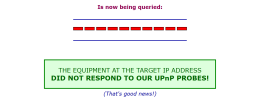
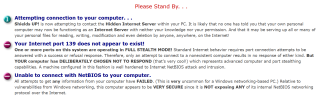
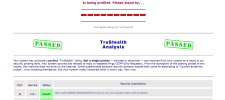
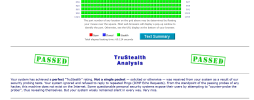

Yes, one port in particular you would not want exposed......Now if we could probe my gf's ports to see how to make her silent that would be nice.

Depends, some like it spicyYes, one port in particular you would not want exposed......
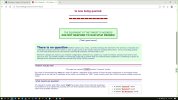
I had to wrestle with the web plugins but finally managed to get it to work. Did I mention I hate the damn plugins? And they usually are ok for a while and then need to be reinstalledTake a computer that is not connected to the internet and plug the NVR into the ethernet port of the computer. Make sure the computer and NVR are on the same IP subnet. Then open a web browser and type in the IP address of the NVR or open SmartPSSLite.
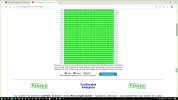
You have run a UPnP scan. That's good, but the other half of the test is a port scan. Instead of pressing the big yellow instant UPnP button, press the All Service Ports button, and post that result.How do you guys get the neat stealth readings? Attached is what I got
Took me a bit to find that selection. Looks okYou have run a UPnP scan. That's good, but the other half of the test is a port scan. Instead of pressing the big yellow instant UPnP button, press the All Service Ports button, and post that result.
Attachments
alastairstevenson
Staff member
Well done!Took me a bit to find that selection. Looks ok
Yes, that's a perfect scan result, there are no listening ports found on the inbound scan.
A full stealth result, as it should be.
However - a question - did you have the NVR powered on and 'connected to the internet' as you normally used to for reviewing recordings? Not just directly connected to the laptop?
Even with an inbound hole in a firewall configuration, there has to be an active, listening, port in order for that inbound hole to be discovered.
Turn off, or disconnect, the target device and there will be nothing to respond to the inbound probe, which would give a misleading result even with a firewall hole.
Something I don't understand... I have a working L2TP VPN listening on UDP port 1701, but nothing shows up when I do a "User Specified Custom Port Probe" on that port? ...
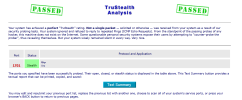
No, the NVR was not connected to the network/internetWell done!
Yes, that's a perfect scan result, there are no listening ports found on the inbound scan.
A full stealth result, as it should be.
However - a question - did you have the NVR powered on and 'connected to the internet' as you normally used to for reviewing recordings? Not just directly connected to the laptop?
Even with an inbound hole in a firewall configuration, there has to be an active, listening, port in order for that inbound hole to be discovered.
Turn off, or disconnect, the target device and there will be nothing to respond to the inbound probe, which would give a misleading result even with a firewall hole.
alastairstevenson
Staff member
It might be interesting if you repeat the test with the NVR connected as it normally used to be.
Will do tonight or tomorrow and report backIt might be interesting if you repeat the test with the NVR connected as it normally used to be.
Certainly do this. Just to make 100% sure.It might be interesting if you repeat the test with the NVR connected as it normally used to be.
Very likely because your L2TP server listens on UDP, but the scanner is only scanning TCP. Scanning UDP is hard, actually.Something I don't understand... I have a working L2TP VPN listening on UDP port 1701, but nothing shows up when I do a "User Specified Custom Port Probe" on that port? ...
Side note, is your VPN plain L2TP or L2TP + IPsec?