

observant1
Getting comfortable
If it's plugged into a smart switch, you may need to make sure the port it's plugged into is configured properly. - just a shot in the dark.

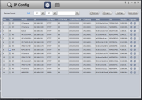
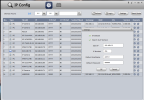
Yes!Does Config Tool find devices that are on a different subnet as the PC it's installed/runnning on?

I'm off to go find a 12v PoE injector.
And often struggled/wondered if a nonsmart poe switch
Would just pass traffic packets regardless of two different sub nets.

Just to clarify the terms, an "injector" , in the IP camera realm at least, implies a device that puts voltage and data on the Ethernet cable to a POE camera.Tony, my mistake on the voltage, turns out both the TP Link and Unifi are 24vdc. I should pick up a 12v injector for future use, might save some headaches and make the whole process easier. Thanks for your help.
Same here....I must have 2 dozen or so from Linksys routers and AT&T and CenturyTel modems, all 12VDC with the correct connector, polarity and UL listing, just different current capability. If you were closeby I'd give or send you one but it sounds like you're all set any way.One of the alternative camera connections I never use! Thank you Tony, excellent tip. Every time a DC device dies I save the power supply. I have a box of them in the shop, I'll look for one with the right specs.
Cheers! Ron

 wart in my hand TWICE, as I have all kinds of extras and spares lying around..... several years ago I let the magic smoke out of a Shelly 1 Wi-Fi relay that I had set for 12VDC but I picked up a 24VDC wall wart....they look the same and the coaxial connector has the same dimensions.
  I taped BIG labels on the two or three 24's that I have...such as the ones that came with the Reolink video doorbell!
