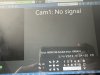
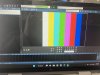
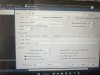
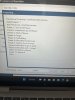
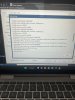
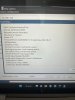
I just downloaded BI. I’ve attempted to add a new camera. I’ve used the find/inspect feature. It recognizes the camera to some degree because it kicks back all my presets when I use “find”. These are the screens I’m getting. I am using the 192.168.1.108IP Any ideas what I’m doing wrong?
I can’t. I was just looking at RJ45 to usb adapters. If hardwiring will work, I’ll do it. Is there a router that you’d recommend that may be capable of handling it?
Edit: my transmit/receive speed is 1201 mbps if that helps?
Oh so you are trying to connect to the camera thru wifi and computer isn't hardwired?
We do not recommend having cameras go thru a router. Consumer routers just can't keep up with 24/7 video. These cameras don't buffer like streaming video of Netflix.
Awesome. I was beating my head against the wall trying to figure it out. I suppose I can hardwire it to the router the camera is going to? Or, should I put a switch inline before the router and connect pc and camera to that?
Can you login to the camera using a browser from the BI PC and using the same password as you have setup in BI? I see it is on the defaut Dahua IP 192.168.1.108. You will need to assign another IP if you plan on connecting another new Dahua camera as they will conflict.
Can you login to the camera using a browser from the BI PC and using the same password as you have setup in BI? I see it is on the defaut Dahua IP 192.168.1.108. You will need to assign another IP if you plan on connecting another new Dahua camera as they will conflict.
I just downloaded BI. I’ve attempted to add a new camera. I’ve used the find/inspect feature. It recognizes the camera to some degree because it kicks back all my presets when I use “find”. These are the screens I’m getting. I am using the 192.168.1.108IP Any ideas what I’m doing wrong?
First off, you state 'add a new camera', which implies you have other cams already added to BI. Is that true?
You really should change the IP address of that cam to something other than 192.168.1.108, the 108 part being the one to change. This is because all Dahua cams come with that IP address as the default.
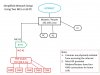
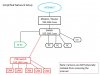
Just what does your network look like? As others have stated, it is not recommended to have the cam go through the router. It should be cam-switch-BI server.
If you do not have the ability to use two NICs, then this would work: